
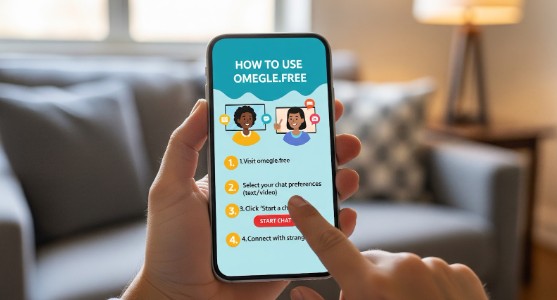
You don’t need a 40-minute tutorial to use a random chat site. You need one thing: a clean, quick flow that gets you talking, fast, without making you feel like you’re stepping into chaos blindfolded.
That’s the whole point of Omegle.Free: click in, pick a mode, match instantly, and keep moving if the vibe is off. (No long signups, no complicated setup, just chat.)
If you want to jump in right now: Go to website
Below is a practical, no-fluff guide that gets you from “first click” to “good conversations,” plus a few safety + troubleshooting moves that make a big difference.
1) Pick your mode: Text or Video (start with the one that fits your mood)
Omegle.Free is built around instant one-on-one chats, typically with a simple choice up front: Text chat or Video chat.
Text chat is best when…
- You want low pressure.
- You’re testing the vibe of the platform.
- You want to stay more private.
- You want to “warm up” before going on camera.
Video chat is best when…
- You want the classic Omegle feel (face-to-face randomness).
- You’re comfortable managing camera + background.
- You want faster “chemistry checks” (you can read the room instantly).
Pro tip: If it’s your first time (or your first time in a while), start with text for 5–10 minutes, get a feel for the rhythm, then switch to video.
2) The 30-second setup (so you don’t fumble around mid-chat)
Before you click “Start Chat,” do these quick checks. They save you from awkward “uh… can you hear me?” moments.
If you’re using video:
- Camera: positioned at eye level (or slightly above).
- Lighting: face the light source (window or lamp), don’t put it behind you.
- Background: neutral = safest (and looks better).
- Audio: headphones help a lot (less echo, clearer sound).
- Tabs: close anything personal you don’t want to accidentally show/mention.
If you’re using text:
- Decide your “default opener” (I’ll give you ready-to-use ones below).
- Know your exit rule: if it gets weird, you’re allowed to leave instantly.
3) Start chatting: what to expect in the first match
On Omegle.Free, the core loop is straightforward: you click Start Chat and the matching system connects you with someone who’s online.
Here’s the best mental model:
- Match appears
- You have 3–10 seconds to decide:
- “Okay, seems normal” → engage
- “Nope / weird / aggressive” → skip
- Repeat until you get a good conversation
That’s not “being rude.” That’s how random chat works. Fast decisions keep it fun.
4) The “3-click control kit”: Skip, Block, Report
A solid random chat platform must give you fast control tools, especially reporting and blocking, because you should never feel stuck handling bad behavior alone. Omegle.Free highlights that reporting/blocking tools exist and encourages using them if you run into harmful behavior.
Here’s how to use those tools in a sane way:
Skip (Next) , use it early
Skip isn’t a moral judgment. It’s navigation.
Use skip when:
- The person is silent for too long (and you’re not feeling it)
- The vibe is immediately off
- They push boundaries
- You’re simply not in the mood
Block , use it when someone is persistent
Block is for:
- harassment
- repeat spam behavior
- repeated boundary pushing
Report , use it when behavior crosses a line
Report helps protect everyone. Use it for:
- threats
- hate speech
- explicit content where it’s not allowed
- harassment
- anything that feels predatory
Rule of thumb: If you’d warn a friend about it, report it.
5) Interest matching (how to stop getting totally random randomness)
A lot of “Omegle-style” platforms improved the experience by adding interest-based matching, so you’re not always rolling the dice on completely unrelated conversations. Omegle.Free describes itself as connecting strangers and mentions interest-based matching in its guidelines.
If you see an “Interests” field or topic selection:
- Use 2–4 simple interests (not 12 ultra-specific ones).
- Mix broad + specific:
- “music, movies, travel, gaming”
- “football, UFC, anime, startups”
- Avoid personal identifiers (don’t type your city, school, workplace, real name).
Why this works: Interests act like a filter that increases the chance of “normal conversations” quickly.
6) Quick scripts that actually start conversations (steal these)
Most random chats die because of two words:
“hi”
“hey”
It’s not that “hi” is bad, it’s that it gives the other person nothing to grab onto.
Here are better openers that feel human, casual, and low-cringe.
Text chat openers
- “Quick question: are you more of a night owl or morning person?”
- “Pick one: music or movies, what’s winning today?”
- “Where are you chatting from? (No specifics, country is enough.)”
- “I’m bored in the most harmless way possible. Entertain me with a random fact.”
- “What’s your current obsession? Could be a song, a game, a food… anything.”
Video chat openers (simple + non-weird)
- “How’s your day going, good, chaotic, or somewhere in between?”
- “Okay, serious debate: pineapple on pizza… yes or no?”
- “You seem chill. What are you up to tonight?”
- “I’m testing random chat again, have you used it much?”
If you want the fastest path to a good convo:
Ask something that’s easy to answer and creates a branch:
- “What’s the best movie you saw this year?”
- “If you could teleport anywhere right now, where?”
- “What’s a song you’d play at full volume?”
7) Safety that doesn’t kill the fun
Random chat can be fun and still be safe, you just need a few default boundaries. Omegle.Free’s safety guidance emphasizes using tools and not handling harmful behavior alone.
The “Never share” list (seriously)
Don’t share:
- full name
- phone number
- home address
- personal social media handles
- workplace/school details
- anything that could identify you offline
If you really vibe with someone, you can still keep it safe: share broad info only (country/time zone), and move slowly.
Camera safety (easy wins)
- Keep your background plain.
- Don’t show mail/documents/screens.
- Don’t “prove” anything to strangers (they will sometimes test boundaries).
- If you feel pressured, skip immediately.
The “two strikes” rule
- Strike 1: weird comment → skip
- Strike 2: harassment/boundary pushing → report/block
No debates. No explanations. You don’t owe anyone your time.
8) Common problems (and how to fix them fast)
“My camera/mic isn’t working”
Quick fixes:
- Make sure you clicked “Allow” on permissions (browser prompt).
- Close other apps using the camera (Zoom, Meet, OBS, etc.).
- Refresh the page.
- Try a different browser if needed.
“I keep getting boring matches”
Try:
- switching from video to text (or the opposite)
- adding 2–4 interests (not too many)
- changing the time you use it (peak hours matter)
- improving your opener (seriously, this changes everything)
“I’m seeing spam or people who don’t talk”
That’s part of the ecosystem. The solution is:
- skip faster
- report repeat offenders when appropriate
- use interests to reduce random noise
“It feels awkward on video”
Totally normal. Try this:
- keep your first 3 chats under 60 seconds (warm-up reps)
- smile once (sounds silly, works)
- ask one easy question, then decide quickly
Random chat is a rhythm. You get better after 5–10 matches.
9) Etiquette (the unspoken rules that make people actually stay)
You don’t need to be a saint. You just need to be normal.
Do:
- keep it light at first
- respect “no”
- skip instead of arguing
- be curious (people love being asked real questions)
Don’t:
- demand personal info
- push the chat somewhere else immediately
- be creepy “as a joke”
- treat it like a performance where you must “win”
The best chats feel like accidental conversations, not like interviews or auditions.
10) A simple routine that consistently finds good conversations
If you want a repeatable method (instead of endless random scrolling), do this:
- Start with text chat for 5 minutes
- Use two openers you like (don’t improvise every time)
- Add 2–4 interests
- Skip quickly until you hit someone responsive
- Switch to video only after you’ve had 2–3 decent text chats
This routine keeps the experience fun and lowers the “chaos tax.”
Quick recap (so you can close this tab and go chat)
- Choose Text to ease in, Video for the classic vibe.
- Click Start Chat to match instantly with someone online.
- Use Skip early and often.
- Use Report/Block when lines are crossed.
- Use interests to reduce noise and get better matches.
- Keep personal info private. Always.