
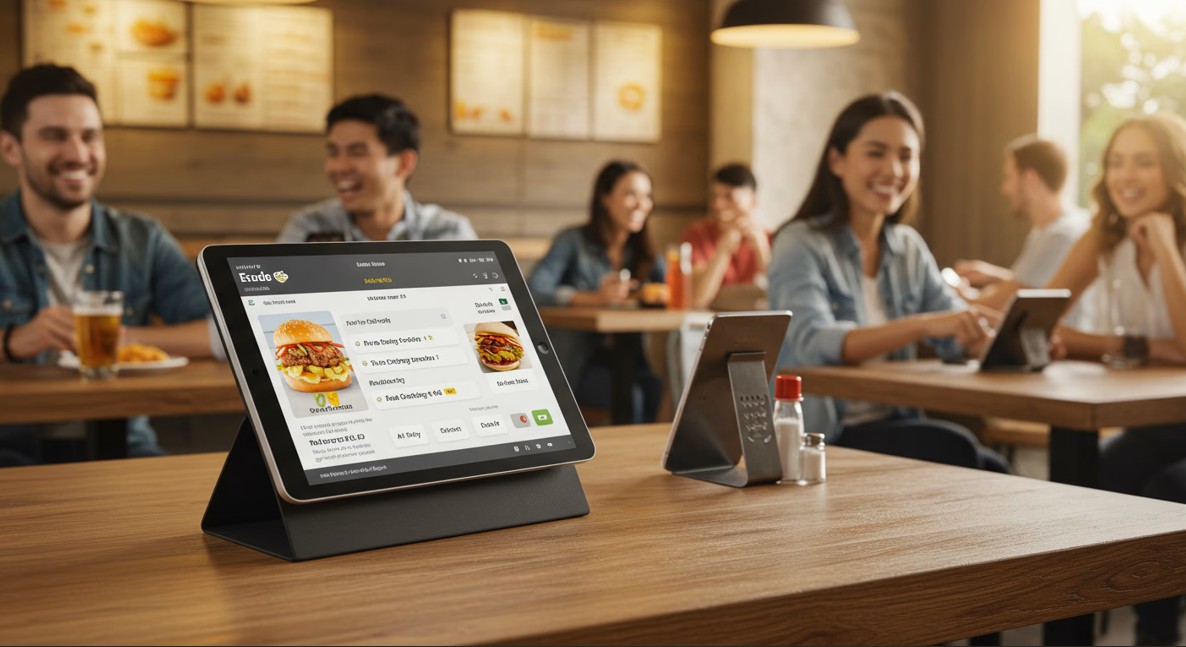
Opening a restaurant involves hundreds of decisions that shape how guests interact with the space. Owners choose lighting, table spacing, service style, and kitchen workflow. Among these choices, the menu format often receives less attention than it deserves. A menu does more than list dishes. It frames how customers read the restaurant, how quickly they order, and how easily staff manage the dining room.
For decades, the printed menu defined the restaurant table. It rested beside cutlery and water glasses, sometimes tucked into leather covers or laminated to withstand spills. In recent years, tablet menus have entered the dining room. These digital screens promise quick updates, vivid photos, and the possibility of self-ordering.
Both approaches carry advantages and limitations. A restaurant owner must decide which system fits the concept, the budget, and the expected clientele. The decision shapes guest expectations, operating costs, and the rhythm of service.
The comparison becomes clearer when examining how each format affects the guest journey, the financial structure of the business, and the long-term management of the restaurant.
The First Contact: What the Menu Communicates Before the First Bite
A menu often becomes the first physical object a guest studies after sitting down. It arrives moments after the host leads diners to their table. Guests may settle into chairs, glance around the room, and then reach for the menu.
A printed menu immediately communicates material qualities. Paper thickness, typography, and cover design reveal how the restaurant positions itself. A heavy paper menu with subtle embossing signals a different type of dining room than a laminated sheet listing twenty quick dishes. The menu design becomes an extension of the restaurant’s interior.
Fine dining restaurants often invest significant time in menu printing. Some use textured paper, custom typography, or seasonal cover colors. The menu becomes a quiet introduction to the kitchen’s philosophy. Even small decisions matter. The size of the menu, the spacing between dishes, and the order of sections guide how guests read the offerings.
Tablet menus communicate another message. A small screen glowing on the table suggests speed and modernity. Diners understand immediately that the restaurant relies on digital tools to manage service. In casual restaurants or high-volume urban locations, this signal often fits the concept.
Restaurants that serve international cuisines sometimes favor tablets because they can display multiple languages. A guest can switch from English to Spanish or Mandarin with a single tap. In tourist areas, this feature removes the need for several printed versions of the same menu.
Photos represent another major difference. Printed menus rarely include large photographs because they increase printing costs and risk looking cluttered. Tablet menus, however, can show clear images of each dish. Some guests appreciate the visual guidance, especially when the cuisine contains unfamiliar ingredients.
Yet photos can also influence expectations. If the dish served does not match the image exactly, guests may feel disappointed. Printed menus avoid that problem by leaving the final presentation to the chef rather than the camera.
The menu format therefore sets the tone before the first order reaches the kitchen. Printed menus emphasize craft and tactile design. Tablet menus emphasize speed, technology, and visual navigation.
The Business Math: Printing Costs vs Hardware Investments
Restaurant owners often begin with a simple question: which option costs less? The answer depends on how often the menu changes and how large the dining room is.
Printed menus appear inexpensive at first glance. A basic laminated menu may cost only a few dollars per copy. For a small restaurant with thirty seats, the initial printing bill might stay under a few hundred dollars.
The hidden cost appears over time. Restaurants adjust prices frequently due to supplier changes and seasonal ingredients. A restaurant that changes dishes four times per year must reprint menus each time. Even small adjustments require new copies if prices change.
Consider a restaurant with sixty seats and eighty printed menus. If printing costs eight dollars per menu, each update costs about six hundred forty dollars. Four updates per year raise the annual cost above two thousand dollars. This calculation excludes design revisions and delivery.
Tablet menus change the financial structure. Instead of recurring printing costs, the restaurant invests in hardware and software. A basic tablet suitable for restaurant use may cost between two hundred and four hundred dollars per unit. Protective cases and charging stations add additional expense.
A sixty-seat restaurant might install fifteen tablets if each serves a table. Hardware alone could approach four to six thousand dollars. Software licenses for menu management systems may add monthly fees.
Maintenance also enters the equation. Tablets can break, batteries degrade, and screens require cleaning. Restaurants operating late hours may need spare devices ready to replace malfunctioning ones during service.
Despite these expenses, tablets reduce printing costs almost entirely. Menu changes require only a digital update. Restaurants with rapidly changing menus often find this advantage significant.
Financial decisions therefore depend on the restaurant’s operating style. A stable menu with few updates favors printed formats. A kitchen that rotates dishes weekly may find digital menus easier to manage.
Speed at the Table: How Menus Affect Ordering and Turnover
Service speed influences restaurant revenue. A table that orders quickly and finishes efficiently allows the restaurant to serve more guests during busy hours.
Printed menus often encourage browsing. Guests flip through pages, read descriptions carefully, and sometimes compare dishes across sections. This reading process becomes part of the dining ritual, particularly in restaurants where guests plan a multi-course meal.
In slower dining environments, this browsing creates comfort rather than delay. Guests discuss dishes with each other and ask servers for recommendations. The process builds anticipation for the meal.
In busy urban restaurants, however, long browsing times can slow the pace of service. Servers must return repeatedly to check whether guests are ready to order. Each delay stretches the time required to turn the table.
Tablet menus often accelerate the decision process. Photos allow guests to recognize dishes quickly. Filters or category tabs guide them directly to appetizers, mains, or drinks.
Some tablet systems include ordering functions. Guests can send orders directly to the kitchen without waiting for a server. This approach reduces communication delays and shortens the gap between decision and preparation.
Restaurants that rely on fast turnover sometimes use tablets specifically for this purpose. Sushi chains in several major cities place tablets at every seat. Guests scroll through dishes and place orders continuously during the meal.
Yet speed does not always benefit every concept. Fine dining restaurants build value through time and conversation. Guests may appreciate the slower pace of reading a printed menu and discussing choices with staff.
The menu format therefore influences how quickly guests move through the dining cycle. Tablet menus often compress decision time. Printed menus support a more traditional rhythm of service.
The Human Factor: Technology Comfort vs Traditional Hospitality
Restaurants operate through human interaction. Servers greet guests, explain dishes, and respond to questions. The menu format can strengthen or weaken these interactions.
Printed menus naturally encourage conversation. Guests often ask servers about ingredients or preparation methods. Servers describe specials, recommend wine pairings, and guide diners through the menu.
These conversations serve practical purposes. They also create personal connection between staff and guests. Many diners value this exchange, especially when visiting a restaurant for the first time.
Tablet menus reduce the need for these interactions. Guests can read ingredient lists and view dish photos independently. Some systems even suggest pairings automatically.
For diners comfortable with technology, this independence feels convenient. They can browse without waiting for staff. Groups can explore the menu at their own pace.
However, not all guests enjoy digital interfaces. Older diners sometimes struggle with touch screens or small text. Bright screens may also distract from the atmosphere of the dining room.
Restaurants serving a wide age range must consider this factor carefully. A digital menu may delight younger guests while frustrating older ones.
Staff training also changes when tablets enter the dining room. Servers shift from describing dishes to assisting with technical questions. They may spend time explaining how to navigate the interface rather than discussing food.
Hospitality therefore evolves alongside technology. Printed menus support traditional conversation between guests and staff. Tablet menus shift part of that interaction toward the screen.
Flexibility and Control: Updating Dishes, Prices, and Specials
Restaurant menus rarely remain static. Ingredient availability changes, seasonal produce arrives, and chefs test new dishes.
Printed menus make frequent updates difficult. Even small adjustments require reprinting copies. Owners sometimes postpone necessary price changes simply to avoid printing costs.
Daily specials often appear on separate inserts or chalkboards. These additions allow restaurants to introduce new dishes without redesigning the main menu.
Tablet menus eliminate most of these limitations. A manager can update prices, add dishes, or remove sold-out items instantly. The system pushes the update to every tablet in the restaurant.
This capability proves useful during busy service. If the kitchen runs out of a dish, staff can remove it from the digital menu immediately. Guests will not attempt to order something unavailable.
Digital menus also generate data. Some systems track which dishes guests view most often and which items convert into orders. Managers can analyze this data to adjust menu structure or highlight profitable dishes.
Printed menus provide little feedback beyond sales numbers. Tablet systems offer a deeper view of guest behavior.
However, digital updates require careful management. Errors in the system may appear on every tablet instantly. Restaurants must maintain clear procedures for editing menus and verifying changes.
Flexibility therefore favors digital systems. Printed menus maintain stability but require physical updates for every change.
The Hybrid Future: Why Many Restaurants Use Both
Many restaurants avoid choosing one format exclusively. Instead, they combine printed and digital menus in ways that suit their service style.
A restaurant might keep printed menus for the main food selection while using tablets for wine lists. Wine inventories change frequently, and digital lists allow instant updates when bottles sell out.
Another approach places tablets at the bar while the dining room continues using printed menus. Bar guests often order multiple items quickly, making digital ordering convenient.
Some restaurants maintain printed menus on tables but offer QR codes that link to digital versions. Guests who prefer browsing on their phones can explore the menu digitally, while others rely on paper.
Design also influences this hybrid strategy. A carefully printed menu complements interior features such as wood tables, brass fixtures, or upholstered restaurant booths. Owners who invest in such details often prefer physical menus that match the tactile environment.
Digital tools still operate behind the scenes. Staff may use tablets to manage orders, update specials, or adjust prices during service.
This blended approach allows restaurants to balance tradition with technology. Guests encounter the format that feels most natural while the kitchen retains digital control over updates and inventory.
Choosing the Right Menu for Your Restaurant
Selecting a menu format requires evaluating several practical factors. The concept of the restaurant should guide the decision first. A casual fast-service restaurant may benefit from tablet menus that allow rapid ordering. A fine dining room may prefer printed menus that reflect craftsmanship.
Budget also matters. Owners must compare long-term printing costs with hardware investment and maintenance. A restaurant that updates dishes frequently may save money with digital menus despite the initial expense.
Guest demographics play a role as well. Restaurants serving tourists or younger diners often find digital menus easier to navigate. Restaurants with older clientele may receive better responses to printed formats.
Operational goals complete the picture. If the restaurant values quick turnover and automated ordering, tablets offer advantages. If the goal centers on conversation and guided service, printed menus support that style.
Many successful restaurants revisit this decision after their first year of operation. Real-world service reveals which format supports staff efficiency and guest satisfaction.
The menu remains a simple object on the table, yet it shapes the entire dining interaction. Whether printed on paper or displayed on a screen, it represents the bridge between kitchen creativity and guest curiosity. Choosing the right format helps that connection work smoothly from the first glance to the final order.